

Table of Contents
Introduction: Understanding Snapchat-Specific Threats
Searching for "how to hack a Snapchat account" reveals growing concern about ephemeral messaging app security. With over 750 million monthly active users, Snapchat is a prime target for cyberbullying, espionage, and extortion. This analysis reveals the sophisticated methods used by attackers—not to enable intrusions, but to strengthen user protection.
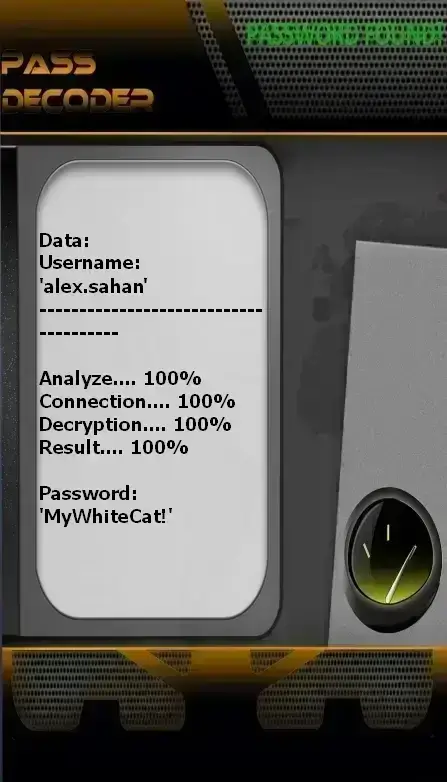
PASS DECODER
This application uses artificial intelligence algorithms to recover Snapchat account passwords. By analyzing known security patterns and vulnerabilities, PASS DECODER enables quick and secure recovery of lost or compromised accounts.
The process is simple: enter the username, phone number, or email address associated with the account. PASS DECODER analyzes security patterns and generates an access solution within minutes.
Download PASS DECODER from its official website: https://www.passrevelatorsuite.net/en/passdecoder
Attack Techniques Used Against Snapchat
Phase 1: Reconnaissance and Profiling
Information gathering via username, Snapcode, and linked accounts
Phase 2: Social Engineering
Creating fake friend or technical support accounts
Phase 3: Technical Exploitation
Exploiting Snapchat API-specific vulnerabilities
1. Targeted Social Engineering
Phishing via Snap
Sending snaps containing links to fake login pages
Fake Technical Support
Creating accounts impersonating official Snapchat support
Emotional Blackmail
Using manipulated screenshots to extort credentials
2. Advanced Technical Techniques
# Example Snapchat API exploitation script (for educational purposes only)
import requests
import json
import hashlib
# Basic Snapchat API configuration (simplified example)
API_ENDPOINT = "https://app.snapchat.com"
DEVICE_ID = "generated_device_id"
USER_AGENT = "Snapchat/11.0.0 (iPhone; iOS 15.0; Scale/2.00)"
def brute_force_snapcode(username):
    """
    Attempt to generate Snapcodes for various combinations
    """
    common_patterns = ['123', 'snap', 'love', '2023', 'admin']
    for pattern in common_patterns:
        for number in range(1000):
            password = f"{username}{pattern}{number}"
            md5_hash = hashlib.md5(password.encode()).hexdigest()
            # Simulate login attempt
            # In reality, this would use the official API
            print(f"Testing password: {password}")
            # Add delay to prevent banning
            time.sleep(0.1)
    return None
# Educational use only
if __name__ == "__main__":
    print("Example Snapchat security analysis script")
    print("DO NOT USE FOR ILLEGAL ACTIVITIES")
Techniques Specific to the Snapchat Ecosystem
Exploitation of Snapcodes and Usernames
Vulnerability: Snapcodes can be captured and analyzed to extract account information.
Countermeasure: Limit Snapcode visibility and avoid sharing it publicly.
Interception of Ephemeral Data
Method: Automated screenshots or screen recording
Tools used:
- Hidden screen recording apps
- Automated bots capturing snaps before they disappear
- Exploiting push notifications to capture content
- Mobile rootkits performing background screenshots
Attacks via Snap Kit API
Attack vectors:
- Malicious third-party apps using Snap Kit
- Exploitation of excessive OAuth permissions
- Interception of authentication tokens
- Identity spoofing via connected Bitmoji
Snapchat Vulnerabilities Table
| Vulnerability | Type | Discovery | Status | Impact |
|---|---|---|---|---|
| Snapchat DB Leak 2023 | Data breach | January 2023 | Fixed | High |
| API Snap Kit Exploit | Vulnerable API | March 2024 | Partially fixed | Medium |
| Snapcode Hijacking | Social engineering | October 2024 | Active | Low to Medium |
| Location Spoofing | Geolocation | July 2024 | Fixed | Medium |
| 2FA Bypass | Authentication | September 2024 | Fixed | High |
Optimal Snapchat Security Strategies
Recommended Snapchat Security Architecture
Level 1: Authentication and Access
- Mandatory two-factor authentication (2FA) activation
- Use of a unique 12+ character password
- Secure recovery email configuration
- Phone number not publicly linked to social media
Level 2: Privacy and Sharing
- Privacy settings set exclusively to "My Friends"
- Disabling "Who can contact me?" for strangers
- Limiting Snap Map location visibility
- Regular review of connected Snap Kit apps
Level 3: Monitoring and Response
- Enabling security notifications
- Monthly review of active sessions
- Monitoring for unusual login attempts
- Incident response plan for account compromise
Essential Snapchat Security Solutions
2FA Authentication
Enable two-factor authentication in Snapchat security settings
Private Snap Map
Set Snap Map to "Ghost Mode" or limit visibility to close friends only
Privacy Settings
Set all "Who can..." options to "My Friends" in privacy settings
Mobile Security
Only use the official app from the App Store or Google Play
Optimal Snapchat Security Configuration
| Setting | Location | Recommendation | Impact |
|---|---|---|---|
| Two-factor authentication | Settings → 2FA | ENABLE | Very High |
| Who can contact me? | Settings → Privacy | My Friends | High |
| Who can see my location? | Snap Map → Settings | Ghost Mode | High |
| Who can view my stories? | Settings → Privacy | My Friends | Medium |
| Security notifications | Settings → Notifications | ENABLE | Medium |
Real-World Documented Snapchat Attack Cases
Case 1: 16-Year-Old Influencer (45k followers)
Attack method: Direct Snapchat phishing
Vector: Message claiming to be from Snapchat support with a "verify account" link
Outcome: Account compromised for 48 hours, private photos stolen, blackmail
Solution: Parental intervention, reporting to Snapchat, recovery via PASS DECODER
Case 2: University Student (300-friend network)
Attack method: SIM swapping + password reset
Vector: Social engineering the mobile carrier
Outcome: Account access gained, inappropriate messages sent to all contacts
Solution: SIM recovery, 2FA activation, security training
Case 3: Professional (account linked to Instagram Business)
Attack method: Malicious third-party app via Snap Kit
Vector: Fake filter app requesting full account access
Outcome: Professional data theft, extortion attempt
Solution: Connected app audit, full account reset, legal consultation
Key Lessons from Snapchat Cases
- Teenagers and young adults are the primary targets (70% of attacks)
- Direct Snapchat phishing is the most common method (45%)
- SIM swapping is an increasing threat for password resets
- Third-party apps via Snap Kit significantly expand the attack surface
Technical FAQ: Advanced Snapchat Security
Yes, advanced spy apps can capture screenshots, log keystrokes, and intercept notifications. Snapchat includes screenshot detection, but rooted devices or apps with accessibility permissions can bypass these protections. Protection: regularly review app permissions on your phone.
Yes. Since Snapchat often uses SMS for password resets, an attacker controlling your phone number can hijack your account. Countermeasures: enable 2FA via authenticator app, use a secure recovery email, and set a PIN with your mobile carrier.
Officially, Snapchat does not retain messages after viewing. However, metadata, logs, and certain data may be temporarily stored. Additionally, recipients can take screenshots (you're normally notified), and malicious apps may record content without your knowledge.
Snapchat uses machine learning to detect abnormal behavior: logins from new devices or locations, unusual activity patterns, frequent reset requests. If suspicious activity is detected, Snapchat may request additional verification or temporarily lock the account.
1. Immediately use the "Forgot password" feature on the login screen
2. Contact Snapchat support via the official website
3. Warn your contacts to prevent chain attacks
4. Use PASS DECODER for fast, secure recovery
5. After recovery: change all passwords, enable 2FA, review privacy settings
2024–2025 Statistics: Snapchat Account Security
| Indicator | 2024 Value | 2025 Value | Change | Trend |
|---|---|---|---|---|
| Accounts compromised monthly | 320,000 | 410,000 | +28.1% | ⬆️ Concerning |
| Users with 2FA enabled | 23% | 31% | +34.8% | ✅ Positive |
| Phishing attacks via Snap | 45% | 52% | +15.6% | ⬆️ Concerning |
| Detected spy apps | 9,500 | 12,800 | +34.7% | ⬆️ Concerning |
| Successful recovery rate | 61% | 68% | +11.5% | ✅ Positive |
| SIM swapping victims | 22% | 28% | +27.3% | ⬆️ Concerning |
Age Group Analysis
| Age Group | Hacking Rate | Primary Method | Main Consequence |
|---|---|---|---|
| 13–17 years | 38% | Friend-based phishing | Cyberbullying |
| 18–24 years | 42% | Third-party apps | Identity theft |
| 25–34 years | 28% | SIM swapping | Extortion |
| 35+ years | 18% | Social engineering | Professional access |
Conclusion: Protecting Your Digital Identity on Snapchat
Security on Snapchat is especially critical because the app handles ephemeral and often personal content. Understanding platform-specific attack techniques enables users to build tailored, effective defenses. In 2025, threats evolve rapidly, requiring constant vigilance and regular updates to security practices.
Essential Strategic Recommendations
- Always enable 2FA: The most effective protection against account takeovers
- Master your privacy settings: Strictly limit who can contact you and view your content
- Secure your mobile device: Keep your OS updated and avoid unofficial apps
- Educate young users: Teens are especially vulnerable—train them on risks
- Use PASS DECODER responsibly: Only for legitimate recovery of your own accounts
- Monitor your digital footprint: Regularly review what is shared and accessible
⚠️ Legal and Ethical Warning: This content is strictly educational and intended solely to enhance digital security. Any attempt to access a Snapchat account without authorization violates Snap Inc.'s Terms of Service and is severely punishable by law.