Recover Twitter accounts

Pass Recovery

Recover access

to a Twitter/X account

Download


Clean

Recover Twitter accounts

Download

Read the terms


star Works on multiple devices

star Last updated on 01.12.2025

star Free updates

star Supports multiple accounts


PASS RECOVERY

PASS RECOVERY is a small application capable of hacking any TWITTER/X password without usage or time limits. Whether the password is complex, hard to recover, or simply encrypted, PASS RECOVERY will decode it.

Thanks to its power and its advanced artificial intelligence analysis algorithm, this application ISO9001 and ISO27001 certified can decrypt the password associated with a TWITTER/X account. Within just a few minutes, the recovered password appears on screen.


This image shows PASS RECOVERY
decoding a TWITTER/X account password.


Step-by-Step Guide: How to Recover a Twitter/X Password

PASS RECOVERY is very easy to use—everything has already been prepared for you! Follow these detailed steps:

Step 1: Download and Install PASS RECOVERY

Click the download button to get PASS RECOVERY. Installation is straightforward and requires no advanced technical knowledge.

Step 2: Launch the Application

Open PASS RECOVERY. The application displays initial recommendations and legal guidelines.

Important notices:

  • Only use on accounts you own or have authorization to access
  • Read the legal disclaimer before proceeding

Step 3: Enter Twitter/X Account Information

In the main window, enter the email address, phone number, or username associated with the Twitter/X account you want to recover.

Accepted formats:

  • Email address: user@example.com
  • Phone number: +1234567890
  • Username: @username

Step 4: Start Decryption Process

PASS RECOVERY automatically begins decryption using its advanced algorithm.

Step 5: View Decrypted Password

After entering a valid TWITTER/X account identifier, PASS RECOVERY will decode the password stored in internal databases and display it on screen within minutes.

Step 6: Save Password to File

You'll have the option to save the recovered password to a secure text file for future reference.

Save options:

  • Plain text file (.txt)
  • Encrypted file with password protection
  • Copy to clipboard for immediate use

Security recommendation: After recovering password, immediately log into account and change password to something unique and strong.

Tested and Approved

SafiCert
“Our experts have validated the application’s performance in demanding scenarios requiring rapid access to a password-protected account. This powerful tool, built to the highest standards, redefines what it means to have full control.”
SafiCert, Excellence in Software Testing and Quality

Don't waste any more time. Access a TWITTER/X account NOW !!!
Please click the button below
Download

Twitter/X Decryption Results and Benefits:


With PASS RECOVERY, regaining access to a Twitter/X account has never been easier. Take advantage of this simple solution and use it on your own Twitter/X account! Finally, an application that lets you freely recover your lost Twitter/X password.

Frequently Asked Questions

What is PASS RECOVERY used for?

PASS RECOVERY retrieves the password of an X (Twitter) account. It displays login credentials in plain text.

Can I recover any X account?

Yes, PASS RECOVERY retrieves passwords for X accounts.

How long does it take to obtain the password?

As soon as it is launched, PASS RECOVERY analyzes the data and displays the requested X credentials.

Does PASS RECOVERY send my data over the internet?

No information is transmitted online, ensuring complete confidentiality of your credentials.

Do I need to create an account or provide an email address?

No. PASS RECOVERY requires neither registration, email verification, nor entry of personal data. It can be used immediately after installation.

Does PASS RECOVERY work in all countries?

Yes. The tool is independent of geographic location, regardless of your country of residence.

What environment is handled by PASS ACCESS?

PASS RECOVERY is compatible with Windows.

Is there a guarantee or trial period?

Yes. We offer a 30-day money-back guarantee. If the application does not work on your machine, contact us for an immediate refund.

Do I need to pay a monthly subscription?

No. The purchase is one-time and permanent. Once acquired, PASS RECOVERY is yours for life, with no recurring fees.

When do I receive the application after payment?

Immediately. The download link is provided as soon as your payment is confirmed. No waiting period.

Is PASS RECOVERY secure?

Yes. The application is digitally signed, regularly scanned, and contains no intrusive ads, malware, or trackers.

Is it legal to use PASS RECOVERY?

Yes, provided it is used exclusively on X accounts you own or for which you have explicit authorization. Any attempt to gain unauthorized access to a third-party account constitutes a criminal offense.

Recover a Twitter/X Account: Complete Guide

Understanding Modern Twitter/X Hacking Techniques

Twitter (now rebranded as X) accounts are high-value targets for cybercriminals due to their influence, reach, and connection to other services. Understanding modern hacking techniques is essential for protecting your account. Here are the most sophisticated methods used by hackers:

1. Credential Stuffing with Leaked Databases

Hackers use automated tools to test millions of username-password combinations from previous data breaches. With Twitter's 2022 breach exposing 5.4 million accounts and countless other leaks, stolen credentials circulate widely on dark web marketplaces.

How it works:

  • Attackers obtain databases from breached sites (LinkedIn, Adobe, Yahoo, etc.)
  • Automated bots test these credentials against Twitter login
  • Rate limiting bypassed through distributed botnets and proxy rotation
  • Successful logins added to "cracked account" databases for sale
  • Average success rate: 0.1-2% (but with billions of attempts, yields thousands of accounts)

Impact: Even if your Twitter password is unique, if you've reused it elsewhere and that site was breached, your Twitter account is vulnerable.

2. API Exploitation and Rate Limit Bypass

Twitter's extensive API has known vulnerabilities that attackers exploit to enumerate accounts, test credentials, and bypass security measures.

Exploitation techniques:

  • Account enumeration: API endpoints leak whether email/phone is associated with Twitter account
  • Rate limit evasion: Rotating IP addresses, using residential proxies, distributing requests across multiple API keys
  • OAuth token theft: Exploiting third-party apps with excessive permissions
  • GraphQL injection: Manipulating GraphQL queries to extract unauthorized data
  • API version vulnerabilities: Older API versions (v1.1) have known security flaws still exploitable

Real-world example: 2022 vulnerability allowed attackers to submit phone numbers/emails and receive associated Twitter usernames, facilitating targeted attacks.

3. OAuth Token Hijacking

Twitter uses OAuth for third-party app authentication. Attackers exploit vulnerabilities in OAuth implementation to steal access tokens.

Attack vectors:

  • Malicious apps: Fake apps request excessive permissions during OAuth flow
  • XSS attacks: Cross-site scripting on OAuth callback pages steals authorization codes
  • Token replay attacks: Intercepted OAuth tokens reused for persistent access
  • Redirect URI manipulation: Modifying redirect URLs to capture tokens
  • CSRF on OAuth: Cross-site request forgery tricks users into authorizing malicious apps

Persistence: Once OAuth token is stolen, attacker maintains access even if user changes password (until token is manually revoked).

4. Social Engineering and Targeted Phishing

The 2020 Twitter hack that compromised accounts of Elon Musk, Barack Obama, and Bill Gates was accomplished through social engineering of Twitter employees.

Modern social engineering tactics:

  • Spear phishing: Highly personalized emails mimicking Twitter security alerts
  • Employee targeting: Phishing Twitter staff to gain internal access
  • Pretexting: Creating believable scenarios ("We detected suspicious activity on your account")
  • Vishing (voice phishing): Phone calls impersonating Twitter support
  • SMS phishing: Text messages with fake verification links
  • Fake verification badges: Scammers pose as verified accounts to build trust

Advanced techniques: AI-generated phishing emails that perfectly mimic Twitter's writing style, tone, and formatting. Deep fake voice calls impersonating executives or support staff.

5. SIM Swap Attacks

Attackers hijack victim's phone number to bypass SMS-based two-factor authentication and password reset mechanisms.

Attack process:

  1. Gather victim information (name, phone number, address) through OSINT
  2. Contact mobile carrier impersonating victim or bribing insider
  3. Request SIM card transfer to attacker-controlled device
  4. Receive SMS codes for password reset and 2FA
  5. Reset Twitter password and lock out legitimate owner
  6. Disable 2FA and change recovery options

High-profile targets: SIM swap attacks particularly effective against celebrities, executives, and crypto investors who rely on SMS 2FA.

6. Session Hijacking and Cookie Theft

Attackers steal active session cookies to gain immediate access without needing passwords.

Theft methods:

  • Malware: Info-stealer trojans extract cookies from browsers (RedLine, Raccoon, Vidar)
  • XSS vulnerabilities: Cross-site scripting on Twitter or third-party sites
  • Man-in-the-middle: Intercepting traffic on compromised WiFi networks
  • Browser extensions: Malicious extensions with permissions to read cookies
  • Local file access: Physical or remote access to victim's computer

Session persistence: Twitter sessions can remain valid for 30+ days, giving attackers extended access window.

7. Third-Party App Vulnerabilities

Many users connect Twitter to third-party applications for scheduling, analytics, or automation. These apps often have weaker security than Twitter itself.

Common vulnerabilities:

  • Weak authentication: Third-party apps with poor password requirements
  • Data breaches: Third-party databases compromised, exposing OAuth tokens
  • Excessive permissions: Apps requesting full account access when only reading is needed
  • Abandoned apps: Unmaintained applications with known security flaws
  • API key leakage: Developers accidentally exposing API keys in GitHub repositories

Attack chain: Compromise third-party app ? Extract stored OAuth tokens ? Access connected Twitter accounts ? Lateral movement to other integrated services.

8. Password Reset Exploitation

Attackers abuse Twitter's password reset mechanism by exploiting weaknesses in verification processes.

Exploitation techniques:

  • Email account takeover: First hack X account with compromise recovery email, then reset Twitter password
  • Phone number hijacking: SIM swap or porting attack to receive reset codes
  • Security question exploitation: Answers obtained through OSINT (public records, social media)
  • Reset link interception: Man-in-the-middle on unencrypted email connections
  • Timing attacks: Exploiting race conditions in verification code validation

9. Insider Threats and Employee Compromise

Twitter employees with administrative access can be compromised or act maliciously.

Threat vectors:

  • Social engineering: Phishing attacks targeting Twitter staff (as in 2020 hack)
  • Bribed insiders: Employees paid to access specific accounts
  • Compromised credentials: Employee accounts hacked, granting internal tool access
  • Disgruntled employees: Former staff with lingering access
  • Supply chain attacks: Compromising vendors with access to Twitter systems

Internal tools: Twitter's admin panels can view DMs, change passwords, disable 2FA, and modify account data. Unauthorized access to these tools represents catastrophic security failure.

10. AI-Powered Attack Automation

Machine learning and AI enable sophisticated, scalable attacks against Twitter accounts.

AI applications:

  • Password prediction: Neural networks trained on leaked password databases predict likely passwords
  • Phishing optimization: AI generates convincing phishing emails tailored to victim
  • CAPTCHA solving: Machine learning models bypass CAPTCHA protections
  • Behavioral mimicry: AI learns victim's tweeting patterns to avoid detection after compromise
  • Voice cloning: Deep fake audio for vishing attacks
  • Automated reconnaissance: AI scrapes social media for personal information useful in attacks

CRITICAL LEGAL NOTICE: The techniques described above are for educational purposes only. Unauthorized access to Twitter/X accounts is illegal under computer fraud laws worldwide including CFAA (US), Computer Misuse Act (UK), and similar legislation globally. Use PASS RECOVERY only on accounts you own or have explicit authorization to access. Violations result in criminal prosecution, fines up to $250,000, and imprisonment up to 20 years.

Comprehensive Twitter/X Account Protection Guide

You may wonder why Twitter/X account security is so important? The answer is simple: social networks have become a central space for sharing thoughts, opinions, and even personal information. That's why it's essential to protect your account against unauthorized access. Follow this comprehensive guide to secure your Twitter/X account against modern threats:

1. Enable Two-Factor Authentication (2FA)

Two-factor authentication is your strongest defense against unauthorized access, even if your password is compromised.

How to enable 2FA on Twitter/X (best method):

  1. Go to Settings and Privacy ? Security and account access
  2. Click "Security" ? "Two-factor authentication"
  3. Choose your preferred method (see options below)
  4. Follow prompts to complete setup
  5. Save backup codes in secure location

2FA Method Comparison:

  • Authenticator App (RECOMMENDED): Google Authenticator, Microsoft Authenticator, Authy
    • ? Secure: Immune to SIM swap attacks
    • ? Works offline
    • ? Free to use
    • ? Requires smartphone
  • Security Key (MOST SECURE): YubiKey, Google Titan, Thetis
    • ? Strongest protection against phishing
    • ? Physical device required for login
    • ? Supports FIDO2/WebAuthn standards
    • ? Costs $20-50 per key
    • ? Can be lost (buy 2 keys as backup)
  • SMS Text Message (NOT RECOMMENDED):
    • ? Vulnerable to SIM swap attacks
    • ? Requires cellular service
    • ? Can be intercepted via SS7 vulnerabilities
    • ? Easy to set up
    • Only use if no other option available

Backup codes: Twitter/X provides backup codes when enabling 2FA. Save these securely (password manager, encrypted file, or physical safe). You'll need them if you lose access to primary 2FA method.

2. Use Strong, Unique Passwords

Your Twitter/X password should be unique (not used on any other site) and strong enough to resist cracking attempts.

Password Requirements:

  • Length: Minimum 16 characters (20+ recommended)
  • Complexity: Mix uppercase, lowercase, numbers, special symbols
  • Uniqueness: Different from all other passwords
  • Unpredictability: No personal information, dictionary words, or patterns
  • Random generation: Use password manager to create cryptographically random passwords

Password strength examples:

  • WEAK: Twitter2025, MyTwitter!, @username123
  • MEDIUM: MyT witt3r$Acc0unt2025
  • STRONG: tK9#mX2$vQp7@wL5!nR8
  • STRONGEST: Correct-Horse-Battery-Staple-Purple#2025!

Password managers: Bitwarden, 1Password, LastPass

3. Monitor Login Activity and Active Sessions

Regular monitoring helps detect unauthorized access early before damage occurs.

How to check login activity:

  1. Go to Settings and Privacy ? Security and account access
  2. Click "Security" ? "Apps and sessions"
  3. Review "Connected apps" and "Sessions"
  4. Check login locations, devices, and times
  5. Log out suspicious sessions immediately

Red flags to watch for:

  • Logins from unfamiliar locations or countries
  • Unknown devices or browsers
  • Login times when you weren't active (e.g., 3 AM)
  • Multiple failed login attempts
  • Unexpected password reset emails

Enable login verification alerts: Settings ? Security ? Login verification ? Enable notifications for new device logins

4. Audit Connected Third-Party Applications

Third-party apps with access to your Twitter/X account can become security vulnerabilities if compromised.

How to audit connected apps:

  1. Go to Settings ? Security and account access ? Apps and sessions
  2. Click "Connected apps"
  3. Review all apps with access to your account
  4. Check permissions granted to each app
  5. Revoke access for unused or suspicious apps
  6. Verify apps are still maintained and secure

Best practices:

  • Only connect reputable, well-known applications
  • Grant minimum necessary permissions
  • Review connected apps quarterly
  • Remove apps you haven't used in 6+ months
  • Never connect apps from unknown developers

5. Protect Your Email and Phone Number

Your recovery email and phone number are critical security points—if compromised, attackers can reset your Twitter/X password.

Email security:

  • Use strong, unique password for email account
  • Enable 2FA on email account
  • Use different email for Twitter/X than for other social media
  • Regularly check email for suspicious activity
  • Don't use free email services for important accounts (prefer paid services with better security)

Phone number security:

  • Contact mobile carrier to add PIN protection against SIM swaps
  • Use carrier's port freeze feature if available
  • Consider using Google Voice or similar service (separate from mobile carrier)
  • Don't share phone number publicly on Twitter/X profile
  • Enable carrier account security features

6. Recognize and Avoid Phishing Attempts

Phishing is the #1 method for stealing Twitter/X credentials. Modern phishing attacks are highly sophisticated.

How to identify phishing:

  • Check sender: Official Twitter/X emails come from @twitter.com or @x.com domains only
  • Verify URLs: Legitimate Twitter login is twitter.com or x.com (not tw1tter.com, x-login.com, etc.)
  • Look for urgency: "Your account will be suspended in 24 hours!" is red flag
  • Check for typos: Professional companies don't send poorly written emails
  • Hover over links: See actual URL before clicking
  • Never enter password from email link: Always go directly to twitter.com/x.com

Common phishing tactics:

  • Fake verification badge offers
  • False copyright violation notices
  • Fake Twitter/X Blue subscription confirmations
  • Phony account suspension warnings
  • Impersonation of verified accounts or celebrities

If you receive suspicious email: Forward to phish@twitter.com and delete immediately. Never click links or download attachments.

7. Use Twitter/X Privacy and Security Features

Twitter/X offers several built-in security features that many users overlook.

Essential security settings:

  • Protected tweets: Make account private so only approved followers see tweets
  • Photo tagging: Disable automatic photo tagging or require approval
  • Location information: Turn off precise location sharing in tweets
  • Discoverability: Limit who can find you by email/phone
  • Direct messages: Restrict DMs to people you follow only
  • Quality filter: Enable to hide potentially abusive content
  • Mute/Block: Aggressively use these features against suspicious accounts

How to access: Settings and Privacy ? Privacy and safety

8. Be Cautious with Public WiFi

Public WiFi networks are hotspots for man-in-the-middle attacks and session hijacking.

Public WiFi security measures:

  • Always use VPN: NordVPN, ExpressVPN, ProtonVPN
  • Verify network name: Confirm with staff before connecting
  • Avoid sensitive activities: Don't log into accounts on public WiFi if possible
  • Use mobile data instead: Cellular connection more secure than public WiFi
  • Disable auto-connect: Prevent automatic connection to open networks
  • Enable firewall: Keep device firewall active

9. Keep Devices and Software Updated

Outdated software contains security vulnerabilities that attackers exploit.

What to update regularly:

  • Operating system (Windows, macOS, iOS, Android)
  • Web browsers (Chrome, Firefox, Safari, Edge)
  • Twitter/X mobile app
  • Antivirus/anti-malware software
  • Password manager applications
  • All other installed applications

Enable automatic updates: Most software offers automatic update options. Enable them to ensure you're always protected against latest threats.

10. Educate Yourself on Current Threats

Cyber threats evolve constantly. Stay informed about latest attack methods and security best practices.

Resources to follow:

Download

What to Do If Your Twitter/X Account Is Compromised

If you suspect unauthorized access to your Twitter/X account, act immediately to minimize damage:

Immediate Actions (Within 1 Hour):

  1. Change password: Go to Settings ? Security ? Change password
  2. Enable 2FA: If not already active, turn on immediately
  3. Log out all sessions: Security settings ? Log out of all other sessions
  4. Review recent tweets: Check for tweets/DMs you didn't send
  5. Check email settings: Verify email and phone haven't been changed
  6. Revoke app access: Remove all third-party app connections
  7. Report to Twitter/X: Use in-app reporting for hacked account

Follow-Up Actions (Within 24 Hours):

  1. Scan all devices for malware
  2. Change password on any accounts using same password
  3. Update email account password
  4. Contact mobile carrier about SIM security
  5. Review followers/following for suspicious accounts
  6. Check for unauthorized profile changes
  7. Document suspicious activity for law enforcement if needed
  8. Alert followers about compromise

Twitter/X Official Recovery Procedures

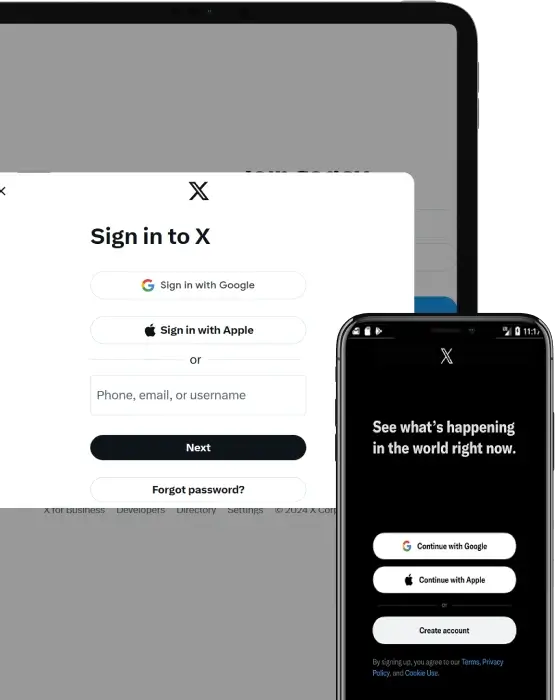
Twitter login page
Official Twitter/X login page

If you've forgotten your password, Twitter/X provides official recovery procedures via the email address or phone number associated with your account. Our tools are designed to guide you through these legal steps, without ever bypassing security measures or accessing someone else's data.

Our site offers legal solutions to regain access to your own Twitter/X account in case you've forgotten your password or lost access. Using tools compliant with Twitter/X's security policies, you can reset your password legally, provided you can prove you are the account owner.

Official Twitter/X Password Reset:

  1. Go to twitter.com/account/begin_password_reset
  2. Enter your email, phone number, or username
  3. Select "Search"
  4. Choose how you want to receive reset code (email or SMS)
  5. Enter verification code when received
  6. Create new strong password
  7. Enable 2FA immediately after regaining access

This service is exclusively intended for users seeking to recover their own account, in accordance with Twitter/X's terms of use and applicable laws.

Frequently Asked Questions (FAQ)

1. How can I recover my Twitter/X password?

Several methods exist:

  • Official reset: Use Twitter/X's password reset feature with your email or phone
  • PASS RECOVERY: Software that decrypts passwords using SHA, PBKDF2, AES algorithms
  • Browser saved passwords: Check your browser's password manager
  • Password manager: Check if you saved it in LastPass, 1Password, Bitwarden, etc.

2. What was the 2020 Twitter hack?

In July 2020, hackers compromised 130 Twitter accounts including Barack Obama, Elon Musk, Bill Gates, and Joe Biden through social engineering of Twitter employees. Attackers used phishing to obtain internal tool access, then hijacked high-profile accounts to promote Bitcoin scam. This demonstrated vulnerabilities in employee access controls and insider threats.

3. Should I use SMS or authenticator app for 2FA?

Authenticator app is STRONGLY RECOMMENDED over SMS because:

  • SMS vulnerable to SIM swap attacks
  • Authenticator apps work offline
  • No dependency on cellular service
  • Immune to SS7 protocol exploits

Best option: Hardware security key (YubiKey) for maximum protection.

4. Is PASS RECOVERY legal to use?

Legal uses:

  • Recovering your own forgotten password
  • Authorized access with explicit permission
  • IT administration with employer authorization
  • Parental monitoring of minor children (age-appropriate)

Illegal uses:

  • Unauthorized access to someone else's account
  • Spying on partners, ex-partners, or coworkers
  • Any access without explicit authorization

Penalties: Unauthorized access violates Computer Fraud and Abuse Act (US), Computer Misuse Act (UK), and similar laws worldwide. Penalties include fines up to $250,000 and imprisonment up to 20 years.

5. How do I check if my Twitter/X account was in a data breach?

Visit HaveIBeenPwned.com and enter your email address. The site will show if your credentials appeared in known data breaches.

If your account was breached:

  1. Change Twitter/X password immediately
  2. Change password on any site where you reused that password
  3. Enable 2FA
  4. Monitor account for suspicious activity
  5. Consider using password manager to create unique passwords